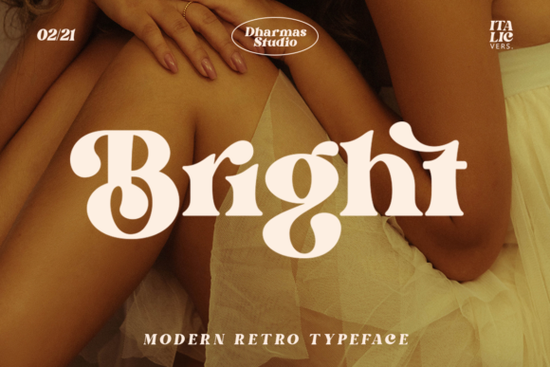
Bright Font is a versatile serif typeface that blends modern and retro aesthetics into one cohesive design. With its clear, bold, and fun characteristics, it’s ideal for projects that aim to evoke the style of the 60s or 70s. Whether you're working on a layout, branding, or print design, this font adds a unique vintage flair that stands out without being overwhelming.
Designed with creativity in mind, Bright Font features more than 50 unique alternates and ligatures. These variations allow for greater customization, making it easier to craft visually engaging designs that feel authentic and distinctive. The PUA encoding ensures compatibility across different platforms and software, so you can use it confidently in your workflow.
If you're looking for a font that combines style with functionality, Bright Font is a solid choice. It works well for everything from headlines and logos to social media graphics and packaging. Its mix of classic and contemporary elements makes it adaptable to a wide range of design needs.
What Makes Bright Font Stand Out?
Bright Font isn’t just another serif font it’s a tool that can elevate your creative projects. Its ability to blend retro charm with modern clarity means it fits seamlessly into both traditional and contemporary designs. This versatility is especially valuable if you’re targeting audiences who appreciate nostalgic aesthetics but still want a clean, professional look.
The font’s alternates and ligatures offer additional flexibility. You can experiment with different letterforms to create a custom feel that matches your brand or project theme. This level of detail can make a big difference when you’re aiming for a polished, intentional design.
For those who work with vintage-inspired themes, Bright Font provides an easy way to incorporate that aesthetic without relying on outdated or hard-to-find typefaces. It’s a practical solution for designers, crafters, and small businesses looking to add character to their work.
How to Use Bright Font in Your Projects
One of the best things about Bright Font is how easy it is to integrate into your workflow. Whether you’re using Adobe Creative Suite, Canva, or other design tools, the font should work smoothly without any issues. Its PUA encoding ensures that all the special characters and ligatures are accessible right out of the box.
Consider using Bright Font for headings, banners, or any text that needs to grab attention. Its boldness makes it perfect for titles, while its retro vibe adds a sense of nostalgia that can resonate with your audience. For a more subtle approach, pair it with a simpler font for balance and contrast.
If you're creating content for print-on-demand products, Bright Font can help you stand out in a crowded market. Its unique look can make your designs more appealing and memorable, which is essential when trying to attract customers.
Related Fonts to Explore
- Ethereal Font – A soft, elegant serif that works well for minimalist designs.
- Old String Font – A vintage-inspired typeface with a handcrafted feel.
- Bright Font – The font we’re discussing here, perfect for retro and modern layouts.
Each of these fonts has its own strengths, so exploring them can help you find the right fit for your specific needs. They all share a focus on style and usability, making them great options for creative professionals.
If you’re interested in learning more about Bright Font, you can explore it directly on Bright Font. This link will take you to the official page where you can view samples, read reviews, and download the font.
For those looking to expand their font collection, consider adding Bright Font to your library. It’s a reliable choice that brings both style and functionality to your design work. Whether you’re a designer, crafter, or small business owner, this font can help you achieve the look you want with ease.
Before you start using Bright Font, make sure to check the licensing terms to ensure it’s suitable for your intended use. Once you’re ready, experiment with different combinations and styles to see what works best for your projects.
Take a moment to review your current font selection and think about how Bright Font could enhance your work. It might be exactly what you need to give your designs a fresh, unique touch.
Here’s a quick checklist to help you get started:
- Download and install Bright Font on your device.
- Test it in different design projects to see how it performs.
- Explore the alternates and ligatures to customize your text.
- Pair it with other fonts to create balanced compositions.
- Check the licensing to ensure it meets your project requirements.
By taking these steps, you’ll be able to make the most of Bright Font and improve the overall quality of your creative work.
Explore Design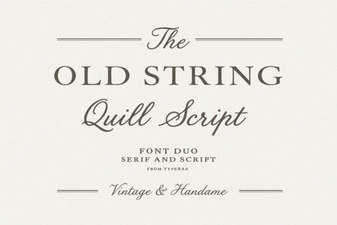 Old String Font Design Trends and Creative Uses
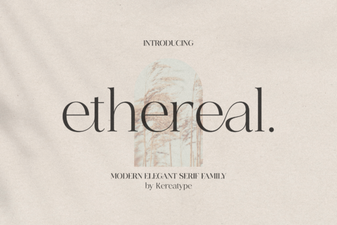 Ethereal Font Design Trends and Creative Uses
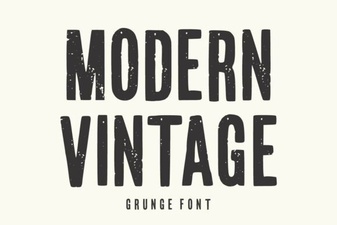 Modern Vintage Font Design Trends and Creative Uses
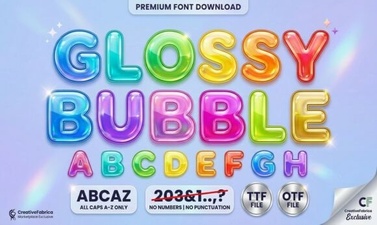 Glossy Bubble Font Design Trends 2024
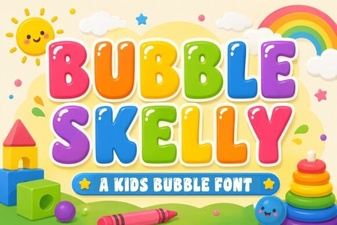 Bubble Skelly Font Design Trends and Creative Uses
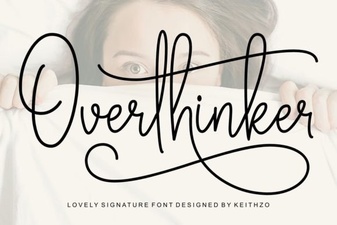 Overthinker Font Design Trends and Creative Uses